

AI coding agents have moved beyond suggesting the next line inside an editor. In 2026, some tools can inspect a repository, interpret an issue, propose a plan, change several files, run checks, and prepare a pull request for review. That capability can save time, especially when a task is clear but repetitive. It can also create a larger mistake faster when the instructions, repository context, or verification process are weak.
The useful question is no longer whether developers should use AI. The better question is how to use an AI coding agent without surrendering technical judgment. An agent should support a development process, not replace the developer who understands the product, users, data, deployment environment, and consequences of a bad change.
This guide explains what coding agents can realistically do, which tasks suit them, and how to build a safer workflow from issue creation to final merge. If you are exploring related tools, visit the AI and Automation section for more practical guidance.
What AI Coding Agents Can Realistically Do in 2026
A coding agent combines a language model with tools that can inspect files, search a codebase, edit code, run commands, and report results. The exact permissions depend on the product and configuration. Some agents operate locally inside an editor. Others work in an isolated cloud environment and return a branch or pull request.
That difference matters. An autocomplete assistant responds inside the developer’s active session. An autonomous agent may continue working through multiple steps after receiving a goal. Developers therefore need stronger boundaries, better task descriptions, and a reliable review process.
From code completion to delegated development tasks
Modern agents can handle more context than a single prompt and response. For example, GitHub describes its cloud agent as capable of researching a repository, creating a plan, making changes on a branch, and preparing a pull request. However, those actions do not prove that the resulting implementation matches the product requirement. They only show that the agent completed a technical sequence.
A developer still needs to judge whether the plan targets the correct problem. The agent may misunderstand an undocumented convention, overlook a business rule, or choose a technically valid solution that creates unnecessary maintenance. Treat the plan as a proposal and the generated code as a draft.
Repository context determines the quality of the result
An agent performs better when the repository explains itself. A useful codebase includes a current README, installation steps, test commands, formatting rules, architectural notes, and examples of accepted patterns. Repository-level instructions can also tell the agent which directories it may change, which APIs it must preserve, and which commands it should run before finishing.
Without that context, the agent must infer conventions from nearby code. It may copy an outdated pattern or apply a modern approach that conflicts with the project’s supported environment. Improving documentation therefore helps both human contributors and AI-assisted workflows.
Plans, diffs, and test results matter more than confident explanations
AI-generated explanations often sound certain, even when an assumption is wrong. Review evidence instead of tone. Check the proposed plan, changed files, dependency updates, test output, and any commands the agent executed. A concise diff with passing targeted tests provides more value than a long summary claiming the task is complete.
Ask the agent to identify assumptions and unresolved risks. If it cannot explain why a file changed or which test covers the new behavior, the work is not ready to merge.

Where agents provide the most practical value
Coding agents work best on bounded tasks with visible completion criteria. Good examples include adding tests for existing behavior, updating repetitive configuration, applying a documented migration, fixing a reproducible bug, improving type coverage, or refactoring a small module without changing its public interface.
They can also help explore an unfamiliar repository. An agent may map where a feature lives, identify related tests, or summarize how data moves between components. Use that exploration as a starting point and verify important findings directly in the code.
Good agent tasks are bounded, testable, and reversible
A weak instruction says, “Improve the checkout.” A stronger instruction identifies the failing behavior, affected component, expected result, supported versions, excluded areas, and required tests. It also limits the change to a dedicated branch so the developer can review or discard it safely.
A useful issue might say: reproduce the quantity-update bug, change only the cart component and its tests, preserve the current API response, run the relevant test suite, and report anything that remains uncertain. This reduces guesswork and gives reviewers a clear standard for acceptance.
Some work should remain outside the agent’s first assignment. Avoid delegating an emergency production change when the failure is not understood, a large architectural rewrite with no approved design, or a security-sensitive feature that lacks experienced review. Agents can help collect evidence and suggest options in these situations, but they should not become a shortcut around diagnosis, design, or accountability.
Cost also matters. A task that requires an agent to scan a large repository, repeatedly install dependencies, and rerun a slow suite may consume more time and compute than a focused manual change. Measure the complete workflow, including instruction writing and review, rather than celebrating only the speed of code generation.
For a broader look at compatible browser features before assigning frontend work, see our planned guide to CSS Baseline 2026 features.
A Safer Workflow for Using AI Coding Agents
The safest workflow places human decisions at the beginning and end of the process. The developer defines the task, permissions, and acceptance criteria. The agent performs the bounded work. Automated checks and a human reviewer then decide whether the change should move forward.
This approach does not eliminate risk. It makes risk visible and creates several opportunities to stop a weak change before production.
Keep human control from issue creation to deployment
Start with a written issue that a human developer could understand without additional conversation. Include the problem, reproduction steps, expected behavior, technical constraints, and definition of done. Avoid combining unrelated improvements into one assignment.
Next, restrict permissions. Give the agent only the repository, tools, network destinations, and temporary credentials required for the task. Never place production secrets in prompts, tracked files, screenshots, or general-purpose agent instructions. Use isolated environments and short-lived credentials where supported.
Require the agent to produce a plan before editing. Review that plan for unnecessary migrations, dependency additions, database changes, or modifications outside the intended scope. A five-minute plan review can prevent a much longer cleanup.
Record what the agent was asked to do and what environment it used. A useful session record includes the original issue, plan, commands, test results, changed files, external resources accessed, and the final reviewer. This history makes debugging easier when a later problem traces back to an assumption made during the automated session.
Treat every generated pull request as untrusted until reviewed
Run automated tests, linting, type checks, security scanning, and dependency checks in a trusted continuous-integration environment. Then inspect the diff manually. Pay special attention to authentication, authorization, data validation, file access, payment logic, database queries, and code that sends information to external services.
Official GitHub documentation on coding-agent risks and mitigations describes protections such as code scanning, dependency advisory checks, secret scanning, and session logs. Those controls are useful, but GitHub still presents the output for review rather than treating automated checks as proof of correctness.
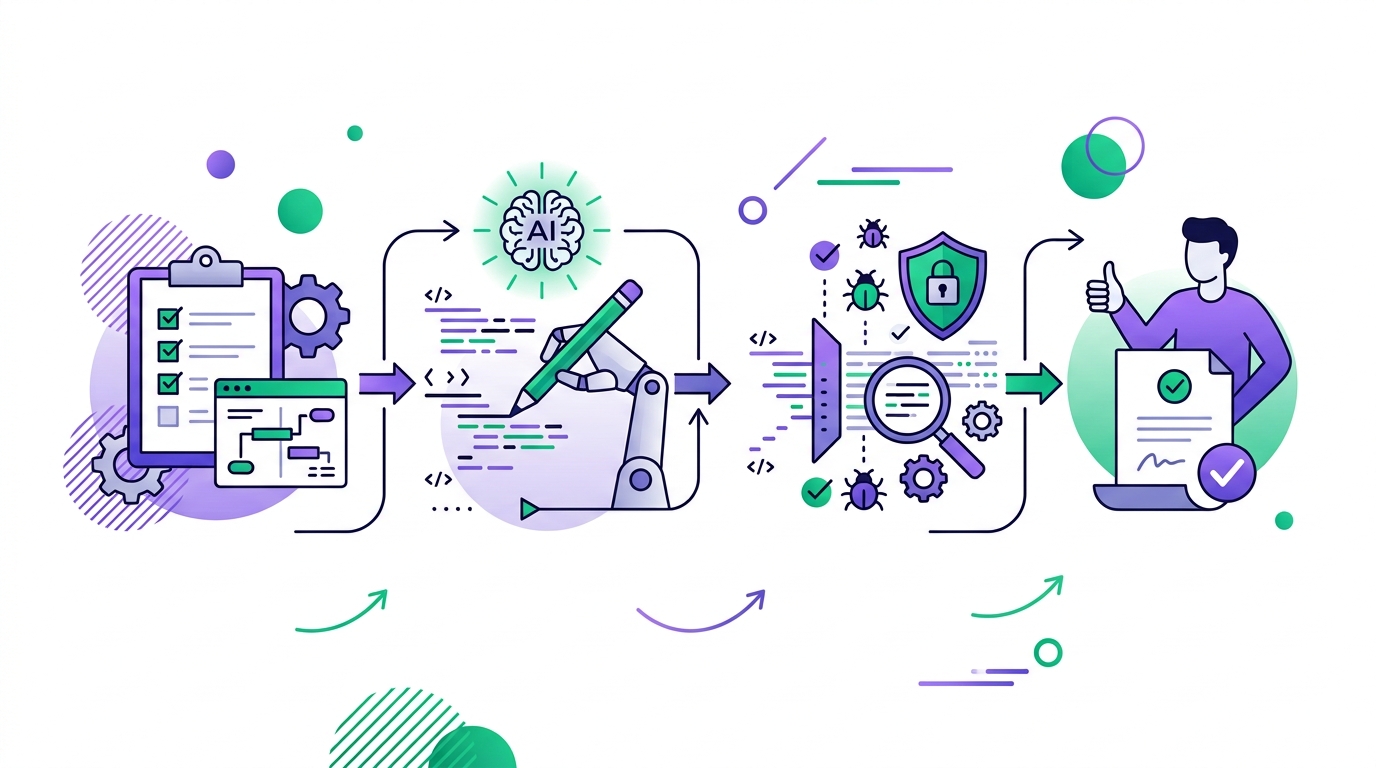
Test the behavior in a staging or preview environment when the change affects user flows. Review generated migrations and lockfile changes separately. Confirm that new packages are necessary, maintained, and compatible with the project’s license and runtime requirements.
Finally, keep the merge decision with an accountable human. The reviewer should understand the change well enough to maintain it without the agent. If nobody can explain the implementation, the team has accepted code it does not truly own.
AI coding agents can reduce repetitive work and shorten the distance between a clear issue and a reviewable draft. They cannot supply product context, responsibility, or engineering judgment automatically. The most effective developers will not be those who delegate everything. They will be those who define better tasks, maintain clearer repositories, verify evidence, and use automation without losing control of the software they ship.